Content Strategy
Content Strategy
Content Decay: How to Find and Refresh Declining Pages
Content Decay: How to Find and Refresh Declining Pages
Content decay can reduce rankings, traffic, and AI visibility over time. Learn how to find declining pages, identify causes, and refresh content with proven SEO strategies.

Shraddha Thuwal
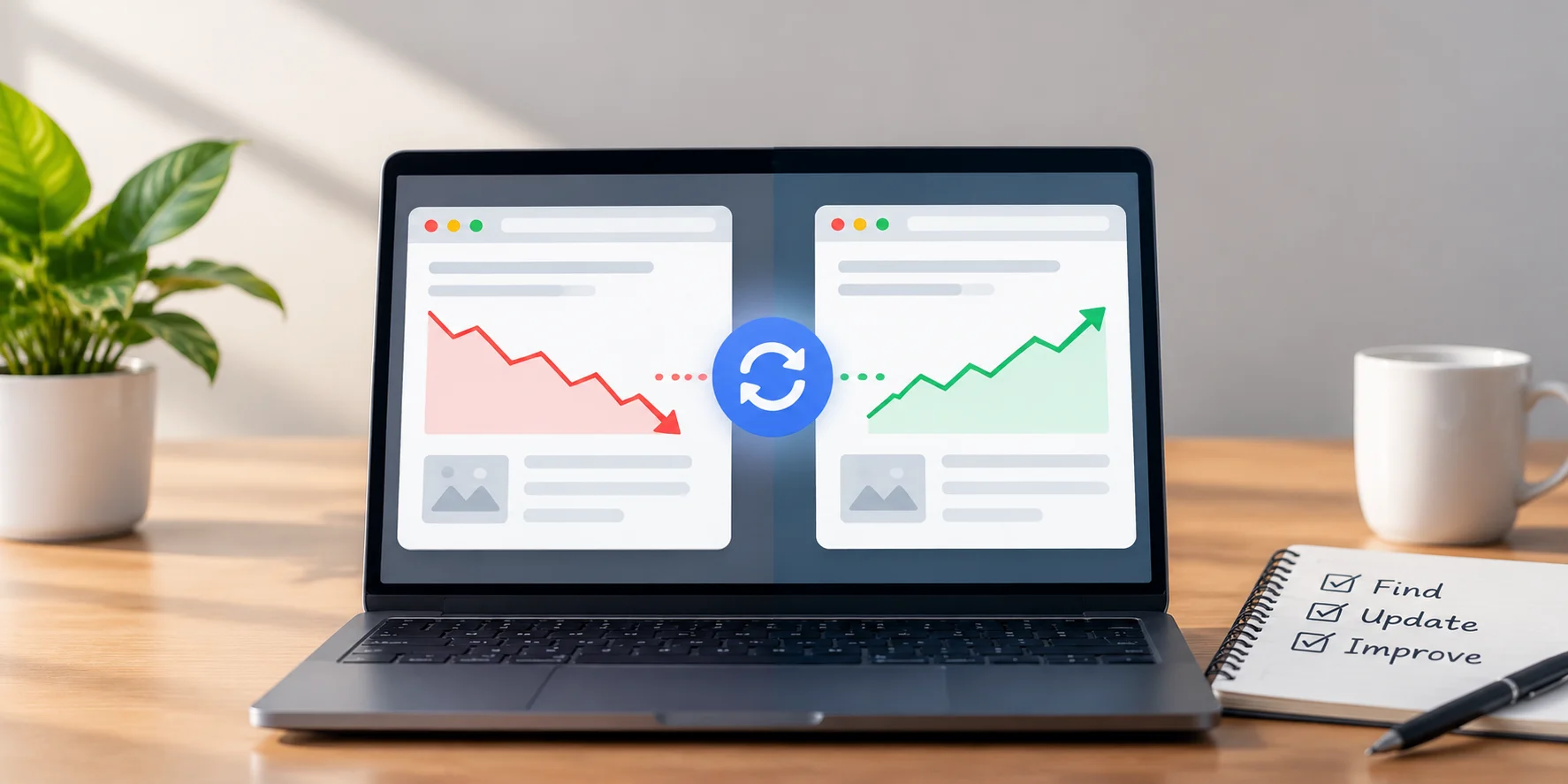
Content decay is the gradual drop in organic traffic, rankings, and AI citations on a page that used to perform well. You find it by comparing page performance across long date ranges in Google Search Console. You fix it by diagnosing why the page slipped, then refreshing, consolidating, or retiring it based on that cause.
Key Takeaways
Content decay is slow. Impressions and rankings usually weaken months before clicks and conversions drop.
AI assistants cite content 25.7% fresher than what ranks in Google's organic results, which makes decay an AI visibility problem, not just a rankings problem.
Pages that go more than three months without an update are over 3x more likely to lose AI citations.
Not every decaying page deserves a refresh. Some should be merged or removed.
Vryse tracks decay across Google and AI platforms in one dashboard, so refresh priorities come from data instead of guesswork.
What Is Content Decay
Content decay means, a page that once earned steady traffic now earns less, and nothing on the page broke. The content stood still while search results, competitors, and user intent moved on.
Decay is gradual. A page that loses 80% of its traffic overnight has a technical, indexing, or algorithm problem instead. Decay shows up as a slow slide over three to twelve months.
Seasonal drops are not decay either. A Diwali gifting guide losing traffic in January is normal. Tax filing content dropping after the July deadline is normal. Compare the same months year over year before labelling any page as decaying.
Why Content Decay Happens
Six causes account for most declining pages.
Outdated information: Statistics, pricing, tool names, and screenshots age. A page citing 2023 data competes against pages citing 2026 data, and loses.
Competitor refreshes: Competitors add new sections, FAQs, and tables. Your page now looks thinner by comparison.
Search intent shift: The query that once wanted a definition now wants a comparison or a tool list. The page answers a question searchers stopped asking.
AI Overviews absorbing clicks: Google now answers many informational queries directly. The page may still rank, but fewer people click through to it.
Internal link drift: Older pages lose internal links as new content gets published. Crawlers treat weakly linked pages as less important.
Keyword cannibalisation: Two of your own pages target the same query. Google splits signals between them, and both rank lower than one strong page would.
Content Decay SEO in the Age of AI Search
Content decay SEO used to mean lost rankings. It now also means lost AI citations, and AI systems punish stale content faster than Google does.
Ahrefs analysed 17 million citations across ChatGPT, Perplexity, Gemini, Copilot, and AI Overviews. AI cited content averaged 1,064 days old. Content ranking in Google's organic results averaged 1,432 days. ChatGPT showed the strongest preference for newer pages.
The AirOps 2026 State of AI Search report found more than 70% of pages cited by AI were updated within the past 12 months. Pages left without an update for over three months were more than 3x as likely to lose visibility.
A page can hold position eight on Google and still vanish from ChatGPT answers within a quarter. AI search visibility needs its own decay monitoring.
How to Find Decaying Pages
Use this five step process every quarter.
Open the Performance report in Google Search Console. Filter by page and compare the last three months against the same three months last year.
Sort by clicks lost. A page falling from 5,000 to 3,500 clicks matters more than one falling from 40 to 10.
Flag drops above 20% year over year. Anything below that threshold is often normal fluctuation.
Read the impressions and CTR pattern. The combination tells you what kind of problem you have.
Check AI visibility for the same topics. Run your core prompts through ChatGPT, Gemini, and Perplexity, or use a prompt tracking tool, to see whether the page still gets cited.
Here is how to read the Search Console patterns:
Impressions | CTR | Diagnosis | Action |
Down | Down | Classic decay | Full content refresh |
Down | Stable or up | Lost positions, engaged readers | Refresh and strengthen internal links |
Stable | Down | AI Overview or richer SERP features taking clicks | Add direct answers, FAQs, schema |
Up | Down | Title and meta no longer match intent | Rewrite title and meta description |
How to Fix Content Decay
Fixing content decay depends on the cause. Follow this sequence.
Step 1: Prioritise by value. Rank flagged pages by three factors: peak historical traffic, business relevance, and conversion history. A page that drove leads for your core service comes first.
Step 2: Diagnose before editing. Read the current top five results for the target keyword. Note the subtopics, data, tables, and FAQs your page lacks.
Step 3: Choose the right action.
Refresh: The topic still matters and the page is close to competitive. Update and expand it.
Rewrite: Search intent changed completely. Keep the URL, replace the content.
Consolidate: Two or more pages compete for the same query. Merge them into one and 301 redirect the others.
Prune: The topic no longer maps to your business and the page has no backlinks. Remove it or noindex it.
Step 4: Execute the refresh. Work through the checklist in the next section.
Step 5: Request reindexing. Use the URL Inspection tool in Search Console to request a recrawl once changes are live.
Step 6: Measure over four to twelve weeks. Track clicks, impressions, average position, and AI citations for the refreshed URL against its pre refresh baseline.
Content Refresh SEO Checklist
Replace outdated statistics: Swap in data from the last 24 months, with the source and year named.
Add missing subtopics: Cover the sections competitors added since you published.
Answer first under each heading: Put a direct 40 to 60 word answer at the top of each section so AI systems can extract it cleanly.
Add or update FAQs: Pull questions from People Also Ask and turn them into short, direct answers.
Validate schema markup: Check Article and FAQ schema with the Fast Schema Markup Checker before republishing.
Rebuild internal links: Link to the refreshed page from newer, relevant posts, and link out from it to your current cluster content.
Rewrite the title and meta: Match current search intent and include the primary keyword early.
Update the visible date: Show a "Last Updated" date only after a real content change.
Vryse's guide to AI SEO covers how to structure refreshed content so both Google and AI assistants can parse it.
How Often to Refresh Content
Refresh cadence depends on how fast the topic changes.
Pricing, tools, and software comparisons: Every three months.
Commercial and service pages: Every three to six months.
Industry guides and how to content: Every six to twelve months.
Evergreen definitions and concepts: Once a year, or when a decay signal appears.
Put refreshes on the content calendar as scheduled work.
How Vryse Handles Content Decay
Vryse runs decay detection and refresh as part of every SEO and GEO engagement, not as a separate audit.
Each client dashboard tracks Google performance alongside prompt visibility across AI platforms. When a page loses impressions or drops out of AI answers for a tracked prompt, the team diagnoses the cause, updates the content, validates schema, and measures recovery on both surfaces.
The Build plan at ₹20,000 per month tracks up to 50 prompts with competitor insights. The Scale plan at ₹55,000 per month tracks up to 100 prompts and includes 8 articles per month. The Accelerate plan at ₹85,000 per month tracks up to 200 prompts, includes 15 articles per month, technical audits and fixes, and competitor launch monitoring. Compare all plans to see which fits your content library.
Browse the Vryse case studies for results across SaaS, healthtech, ecommerce, and hospitality.
Content decay is the gradual drop in organic traffic, rankings, and AI citations on a page that used to perform well. You find it by comparing page performance across long date ranges in Google Search Console. You fix it by diagnosing why the page slipped, then refreshing, consolidating, or retiring it based on that cause.
Key Takeaways
Content decay is slow. Impressions and rankings usually weaken months before clicks and conversions drop.
AI assistants cite content 25.7% fresher than what ranks in Google's organic results, which makes decay an AI visibility problem, not just a rankings problem.
Pages that go more than three months without an update are over 3x more likely to lose AI citations.
Not every decaying page deserves a refresh. Some should be merged or removed.
Vryse tracks decay across Google and AI platforms in one dashboard, so refresh priorities come from data instead of guesswork.
What Is Content Decay
Content decay means, a page that once earned steady traffic now earns less, and nothing on the page broke. The content stood still while search results, competitors, and user intent moved on.
Decay is gradual. A page that loses 80% of its traffic overnight has a technical, indexing, or algorithm problem instead. Decay shows up as a slow slide over three to twelve months.
Seasonal drops are not decay either. A Diwali gifting guide losing traffic in January is normal. Tax filing content dropping after the July deadline is normal. Compare the same months year over year before labelling any page as decaying.
Why Content Decay Happens
Six causes account for most declining pages.
Outdated information: Statistics, pricing, tool names, and screenshots age. A page citing 2023 data competes against pages citing 2026 data, and loses.
Competitor refreshes: Competitors add new sections, FAQs, and tables. Your page now looks thinner by comparison.
Search intent shift: The query that once wanted a definition now wants a comparison or a tool list. The page answers a question searchers stopped asking.
AI Overviews absorbing clicks: Google now answers many informational queries directly. The page may still rank, but fewer people click through to it.
Internal link drift: Older pages lose internal links as new content gets published. Crawlers treat weakly linked pages as less important.
Keyword cannibalisation: Two of your own pages target the same query. Google splits signals between them, and both rank lower than one strong page would.
Content Decay SEO in the Age of AI Search
Content decay SEO used to mean lost rankings. It now also means lost AI citations, and AI systems punish stale content faster than Google does.
Ahrefs analysed 17 million citations across ChatGPT, Perplexity, Gemini, Copilot, and AI Overviews. AI cited content averaged 1,064 days old. Content ranking in Google's organic results averaged 1,432 days. ChatGPT showed the strongest preference for newer pages.
The AirOps 2026 State of AI Search report found more than 70% of pages cited by AI were updated within the past 12 months. Pages left without an update for over three months were more than 3x as likely to lose visibility.
A page can hold position eight on Google and still vanish from ChatGPT answers within a quarter. AI search visibility needs its own decay monitoring.
How to Find Decaying Pages
Use this five step process every quarter.
Open the Performance report in Google Search Console. Filter by page and compare the last three months against the same three months last year.
Sort by clicks lost. A page falling from 5,000 to 3,500 clicks matters more than one falling from 40 to 10.
Flag drops above 20% year over year. Anything below that threshold is often normal fluctuation.
Read the impressions and CTR pattern. The combination tells you what kind of problem you have.
Check AI visibility for the same topics. Run your core prompts through ChatGPT, Gemini, and Perplexity, or use a prompt tracking tool, to see whether the page still gets cited.
Here is how to read the Search Console patterns:
Impressions | CTR | Diagnosis | Action |
Down | Down | Classic decay | Full content refresh |
Down | Stable or up | Lost positions, engaged readers | Refresh and strengthen internal links |
Stable | Down | AI Overview or richer SERP features taking clicks | Add direct answers, FAQs, schema |
Up | Down | Title and meta no longer match intent | Rewrite title and meta description |
How to Fix Content Decay
Fixing content decay depends on the cause. Follow this sequence.
Step 1: Prioritise by value. Rank flagged pages by three factors: peak historical traffic, business relevance, and conversion history. A page that drove leads for your core service comes first.
Step 2: Diagnose before editing. Read the current top five results for the target keyword. Note the subtopics, data, tables, and FAQs your page lacks.
Step 3: Choose the right action.
Refresh: The topic still matters and the page is close to competitive. Update and expand it.
Rewrite: Search intent changed completely. Keep the URL, replace the content.
Consolidate: Two or more pages compete for the same query. Merge them into one and 301 redirect the others.
Prune: The topic no longer maps to your business and the page has no backlinks. Remove it or noindex it.
Step 4: Execute the refresh. Work through the checklist in the next section.
Step 5: Request reindexing. Use the URL Inspection tool in Search Console to request a recrawl once changes are live.
Step 6: Measure over four to twelve weeks. Track clicks, impressions, average position, and AI citations for the refreshed URL against its pre refresh baseline.
Content Refresh SEO Checklist
Replace outdated statistics: Swap in data from the last 24 months, with the source and year named.
Add missing subtopics: Cover the sections competitors added since you published.
Answer first under each heading: Put a direct 40 to 60 word answer at the top of each section so AI systems can extract it cleanly.
Add or update FAQs: Pull questions from People Also Ask and turn them into short, direct answers.
Validate schema markup: Check Article and FAQ schema with the Fast Schema Markup Checker before republishing.
Rebuild internal links: Link to the refreshed page from newer, relevant posts, and link out from it to your current cluster content.
Rewrite the title and meta: Match current search intent and include the primary keyword early.
Update the visible date: Show a "Last Updated" date only after a real content change.
Vryse's guide to AI SEO covers how to structure refreshed content so both Google and AI assistants can parse it.
How Often to Refresh Content
Refresh cadence depends on how fast the topic changes.
Pricing, tools, and software comparisons: Every three months.
Commercial and service pages: Every three to six months.
Industry guides and how to content: Every six to twelve months.
Evergreen definitions and concepts: Once a year, or when a decay signal appears.
Put refreshes on the content calendar as scheduled work.
How Vryse Handles Content Decay
Vryse runs decay detection and refresh as part of every SEO and GEO engagement, not as a separate audit.
Each client dashboard tracks Google performance alongside prompt visibility across AI platforms. When a page loses impressions or drops out of AI answers for a tracked prompt, the team diagnoses the cause, updates the content, validates schema, and measures recovery on both surfaces.
The Build plan at ₹20,000 per month tracks up to 50 prompts with competitor insights. The Scale plan at ₹55,000 per month tracks up to 100 prompts and includes 8 articles per month. The Accelerate plan at ₹85,000 per month tracks up to 200 prompts, includes 15 articles per month, technical audits and fixes, and competitor launch monitoring. Compare all plans to see which fits your content library.
Browse the Vryse case studies for results across SaaS, healthtech, ecommerce, and hospitality.
Frequently Asked Questions
Frequently Asked Questions
How long does it take to recover traffic after a content refresh?
Most refreshed pages show movement within four to twelve weeks. Pages competing against much stronger domains may need link building alongside the refresh.
Does changing the publish date count as a content refresh?
No. Google and AI systems respond to substantive changes like new data, new sections, and improved structure, not a new date alone.
Should I delete old blog posts that get no traffic?
Only if they have no backlinks and no business relevance. Posts with backlinks should be refreshed or merged into a stronger page with a 301 redirect to keep the link equity.
Can content decay affect pages that still rank on page one?
Yes. A page can hold its Google position while losing clicks to AI Overviews and losing citations in ChatGPT or Perplexity. Tracking CTR and AI visibility catches this early.
Related Articles
Related Articles
How to Track Salesforce AppExchange Rankings and Improve Your App’s Visibility
Track your AppExchange rankings, identify keyword opportunities, and optimize your Salesforce listing to improve marketplace visibility, attract qualified buyers, and drive more installs.

Ashish Kamathi, SEO Expert
How to Add Social Media to Google Search Console and Track Their Performance
Learn how Google Search Console handles social media, what platform properties can track, and how to measure social performance alongside your website's organic search data.
Shraddha Thuwal
Domain Migration Checklist: A Step-by-Step Guide to Protect Rankings and Traffic
A successful domain migration requires careful SEO planning. Follow this checklist to manage redirects, preserve rankings, protect traffic, and avoid common migration issues.
Shraddha Thuwal
How to Track Salesforce AppExchange Rankings and Improve Your App’s Visibility
Track your AppExchange rankings, identify keyword opportunities, and optimize your Salesforce listing to improve marketplace visibility, attract qualified buyers, and drive more installs.
Ashish Kamathi, SEO Expert
How to Add Social Media to Google Search Console and Track Their Performance
Learn how Google Search Console handles social media, what platform properties can track, and how to measure social performance alongside your website's organic search data.
Shraddha Thuwal
Get Visibility, Everywhere



























Just drop us your email and we’ll reach out
Get Visibility, Everywhere
Just drop us your email and we’ll reach out
Get Visibility, Everywhere
Just drop us your email and we’ll reach out
Our weekly newsletter contains insights from strategies we use for our clients. We don’t spam.
Copyright © 2026 Vryse
Our weekly newsletter contains insights from strategies we use for our clients. We don’t spam.
Copyright © 2026 Vryse