Technical SEO
Technical SEO
Domain Migration Checklist: A Step-by-Step Guide to Protect Rankings and Traffic
Domain Migration Checklist: A Step-by-Step Guide to Protect Rankings and Traffic
A successful domain migration requires careful SEO planning. Follow this checklist to manage redirects, preserve rankings, protect traffic, and avoid common migration issues.

Shraddha Thuwal
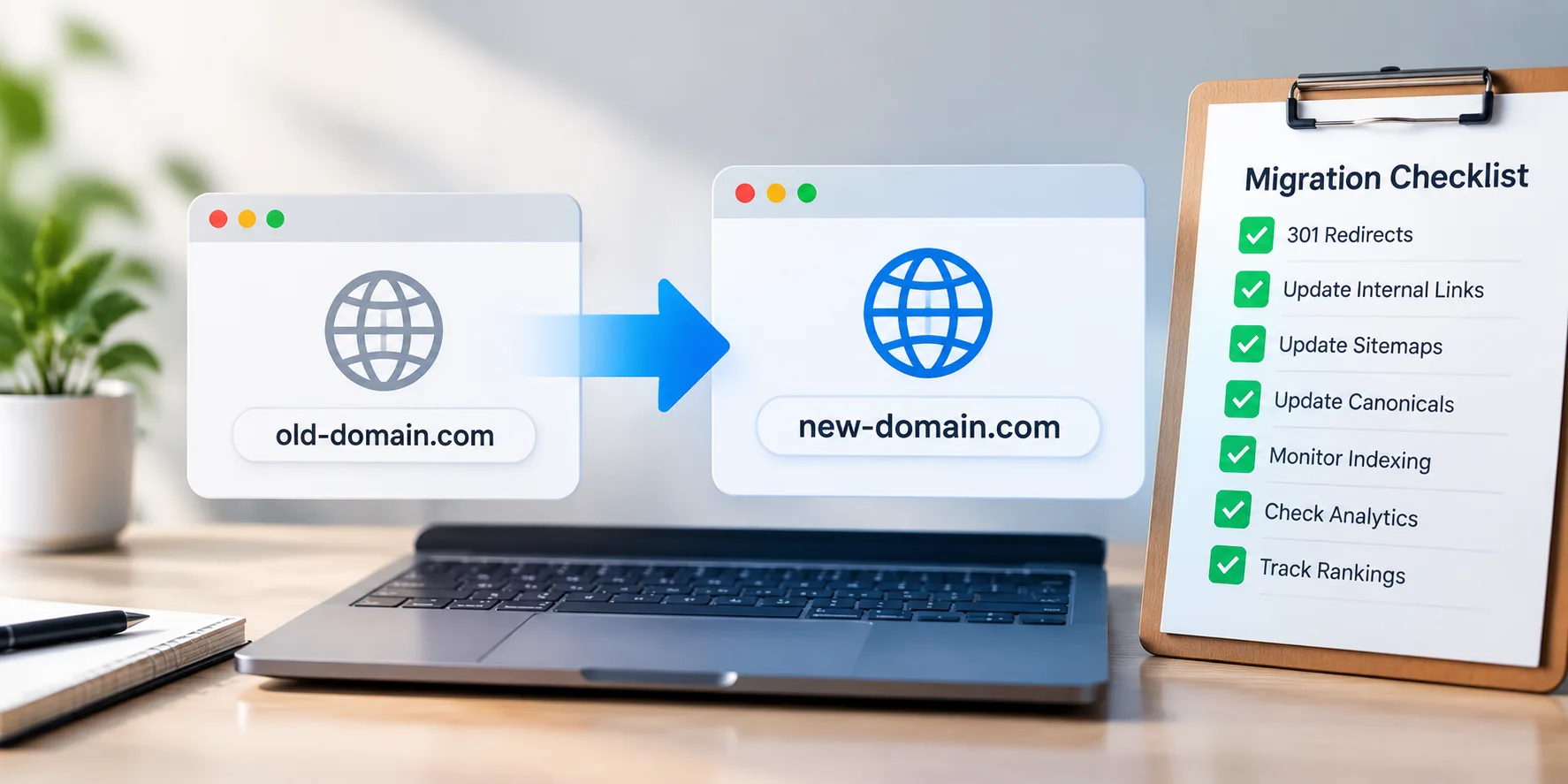
A domain migration checklist is the sequence of technical and SEO tasks that moves a site to a new domain without losing rankings, traffic, or AI citations. It runs in five phases: benchmark, build and test on staging, map URLs and redirects, launch, and monitor. Most ranking losses come from skipped steps, not the move itself.
Key Takeaways
Benchmark rankings, traffic, indexed pages, and AI citations first. Without a baseline, you cannot prove what broke.
Missing redirects and undetected crawl blocks cause most permanent losses, not the migration.
Google now asks site owners to submit Change of Address requests for every subdomain variant, including www and non-www.
Schema breaks silently during template changes, costing AI citations even when rankings hold.
Recovery takes months. A Search Engine Journal study cited by Semrush found sites took around 17 months to regain traffic after a migration.
Domain Migration SEO: What Actually Causes Traffic Loss
Domain migration SEO fails for predictable reasons. The domain change itself passes signals fine when the mechanics are right:
Missing or wrong redirects: Pages with backlinks and rankings get no 301, or land on the homepage instead of their equivalent page.
Crawl blocks left in place: A staging noindex tag or robots.txt disallow ships to production, and Google deindexes the new site within days.
Changed site architecture: Redesigning URLs, navigation, and content during the move makes it impossible to diagnose why traffic drops.
Broken structured data: New templates drop the JSON-LD that powered rich results and AI citations.
Lost internal links: Hardcoded old domain links create redirect chains that slow crawling.
Enterprise data teams treat migrations as a risk exercise, not a task list. The AWS data migration checklist recommends choosing between a big bang and a phased approach based on downtime tolerance, piloting on a low-risk segment, and setting go/no-go gates between phases. Apply the same discipline here: large sites migrate in sections, starting with low-traffic areas, validating each wave before continuing.
Phase 1: Benchmark Before You Touch Anything
Capture this two to four weeks before launch. Export everything, since screenshots are not enough.
Keyword rankings for your top 100 to 200 commercial terms, with position and landing page.
Organic traffic and conversions by landing page from Analytics, covering 12 months minimum.
Indexed page count and coverage report from Search Console.
Full URL inventory from Search Console, Analytics, your XML sitemap, a crawl, and your CMS. No single source catches every URL.
Backlink profile for the old domain, sorted by referring domain authority.
Core Web Vitals scores and current site speed.
AI citation baseline. Run your core commercial prompts through ChatGPT, Gemini, and Perplexity and record where the old domain appears. Almost every SEO migration checklist skips this, and it is the only way to know whether the move cost you AI search visibility.
Phase 2: Build and Test on Staging
Block staging properly. Use password protection plus a noindex tag. Password protection alone leaves the site crawlable if credentials leak into a link.
Crawl staging fully. Check broken links, missing titles, duplicate meta descriptions, orphan pages, and incorrect canonicals before launch, not after.
Validate structured data on staging templates. Template rebuilds are where Article, FAQ, Organisation, and Product schema quietly disappear. Check one page per template type with the Fast Schema Markup Checker, which shows in one click whether schema exists and how the JSON-LD is structured. Run it on the old live URL and the matching staging URL. Anything present on the old page and missing on the new one gets fixed before launch.
Confirm crawlability. Temporarily remove password protection, verify staging in Search Console, and check that pages return as crawled but not indexed. That confirms Googlebot reaches them and the noindex works.
Lower your DNS TTL 24 to 48 hours before the move so the new IP propagates quickly.
Phase 3: Map URLs and Redirects
This is the core of any domain migration checklist, and the phase teams rush. Build a spreadsheet with four columns: old URL, new URL, redirect type, and status, then apply these rules.
Situation | Action |
Page moving to an equivalent new page | 301 redirect, one hop |
Page merging into another page | 301 redirect to the merged page |
Page removed, no equivalent exists | Serve 410, do not redirect to homepage |
Page with backlinks but low traffic | 301 redirect, keep the link equity |
Parameter and tracking URLs | Map to the clean canonical version |
Redirect every old URL straight to its final destination. Chains waste crawl budget and leak signals.
Update every internal reference on staging: body links, navigation, footer, XML sitemap, robots.txt, canonicals, and hreflang tags. Internal links point to new URLs, never through redirects.
Phase 4: Launch Day Sequence
Run these in order, with one owner per step.
Back up files, database, and configuration.
Record final baseline data from Search Console and Analytics.
Update DNS to point to the new server.
Remove all crawl blocks. Delete staging password protection and every noindex tag. Check robots.txt line by line.
Enable redirects and test 50 URLs across every template type, including your highest traffic and highest backlink pages.
Verify the new domain in Search Console and submit both old and new XML sitemaps.
Submit Change of Address in Search Console. Google's site move documentation was updated in June 2026 to ask owners to submit this for every subdomain variant, including www and non-www versions. The Change of Address tool applies to domain moves, not to HTTP to HTTPS moves, and Google notes the process can take up to 180 days.
Update owned external links: Google Business Profile, social profiles, directory listings, email signatures, and ad campaigns.
Request updates from high-value backlinks. A direct link beats a redirect. Prioritise your top 30 referring domains.
Phase 5: Post Launch Monitoring
Losses caught in week one are usually recoverable. Losses found in month three are not.
Days 1 to 3: Crawl for 404s and redirect chains, check the Search Console coverage report daily, and confirm Analytics fires on the new domain.
Weeks 1 to 4: Track indexed pages rising on the new domain while the old falls, watch rankings for your benchmark keyword set, and spot-check schema on live pages, since production can differ from staging.
Months 2 to 6: Compare traffic to the baseline by landing page, since sitewide averages hide individual page collapses. Re-run your AI prompt set against the Phase 1 baseline.
A 10% to 20% dip for four to eight weeks is normal. A drop deeper than 30%, or no recovery trend by week six, means something is broken. Check redirects first, then crawl blocks, then indexation.
Why AI Visibility Needs Its Own Migration Plan
Most SEO site migration checklists stop at rankings and traffic. AI systems build their view of your brand from crawled content and cited URLs. When a domain changes, those cited URLs break. Redirects help Google transfer signals, but AI retrieval systems re-evaluate sources on every query, so a migrated page can drop out of ChatGPT and Perplexity answers even while its Google position recovers.
Three things protect AI citations through a move: intact schema on every template, answer-first content carried over rather than rewritten, and an updated Organisation schema pointing to the new domain and its verified profiles. Vryse's AI SEO guide covers how to structure pages so AI systems can parse them.
How Vryse Handles Domain Migrations
Vryse runs domain migration SEO as a tracked project across Google and AI surfaces. The prompt tracking dashboard captures an AI citation baseline before launch, then measures the same prompts weekly afterwards, so a citation loss surfaces in days rather than at the next quarterly review.
The Accelerate plan at ₹85,000 per month includes technical audits and fixes with tracking for up to 200 prompts. Scale at ₹55,000 covers up to 100 prompts, and Build starts at ₹20,000 with up to 50 prompts. Compare all plans or browse the case studies for results across SaaS, healthtech, and ecommerce.
A domain migration checklist is the sequence of technical and SEO tasks that moves a site to a new domain without losing rankings, traffic, or AI citations. It runs in five phases: benchmark, build and test on staging, map URLs and redirects, launch, and monitor. Most ranking losses come from skipped steps, not the move itself.
Key Takeaways
Benchmark rankings, traffic, indexed pages, and AI citations first. Without a baseline, you cannot prove what broke.
Missing redirects and undetected crawl blocks cause most permanent losses, not the migration.
Google now asks site owners to submit Change of Address requests for every subdomain variant, including www and non-www.
Schema breaks silently during template changes, costing AI citations even when rankings hold.
Recovery takes months. A Search Engine Journal study cited by Semrush found sites took around 17 months to regain traffic after a migration.
Domain Migration SEO: What Actually Causes Traffic Loss
Domain migration SEO fails for predictable reasons. The domain change itself passes signals fine when the mechanics are right:
Missing or wrong redirects: Pages with backlinks and rankings get no 301, or land on the homepage instead of their equivalent page.
Crawl blocks left in place: A staging noindex tag or robots.txt disallow ships to production, and Google deindexes the new site within days.
Changed site architecture: Redesigning URLs, navigation, and content during the move makes it impossible to diagnose why traffic drops.
Broken structured data: New templates drop the JSON-LD that powered rich results and AI citations.
Lost internal links: Hardcoded old domain links create redirect chains that slow crawling.
Enterprise data teams treat migrations as a risk exercise, not a task list. The AWS data migration checklist recommends choosing between a big bang and a phased approach based on downtime tolerance, piloting on a low-risk segment, and setting go/no-go gates between phases. Apply the same discipline here: large sites migrate in sections, starting with low-traffic areas, validating each wave before continuing.
Phase 1: Benchmark Before You Touch Anything
Capture this two to four weeks before launch. Export everything, since screenshots are not enough.
Keyword rankings for your top 100 to 200 commercial terms, with position and landing page.
Organic traffic and conversions by landing page from Analytics, covering 12 months minimum.
Indexed page count and coverage report from Search Console.
Full URL inventory from Search Console, Analytics, your XML sitemap, a crawl, and your CMS. No single source catches every URL.
Backlink profile for the old domain, sorted by referring domain authority.
Core Web Vitals scores and current site speed.
AI citation baseline. Run your core commercial prompts through ChatGPT, Gemini, and Perplexity and record where the old domain appears. Almost every SEO migration checklist skips this, and it is the only way to know whether the move cost you AI search visibility.
Phase 2: Build and Test on Staging
Block staging properly. Use password protection plus a noindex tag. Password protection alone leaves the site crawlable if credentials leak into a link.
Crawl staging fully. Check broken links, missing titles, duplicate meta descriptions, orphan pages, and incorrect canonicals before launch, not after.
Validate structured data on staging templates. Template rebuilds are where Article, FAQ, Organisation, and Product schema quietly disappear. Check one page per template type with the Fast Schema Markup Checker, which shows in one click whether schema exists and how the JSON-LD is structured. Run it on the old live URL and the matching staging URL. Anything present on the old page and missing on the new one gets fixed before launch.
Confirm crawlability. Temporarily remove password protection, verify staging in Search Console, and check that pages return as crawled but not indexed. That confirms Googlebot reaches them and the noindex works.
Lower your DNS TTL 24 to 48 hours before the move so the new IP propagates quickly.
Phase 3: Map URLs and Redirects
This is the core of any domain migration checklist, and the phase teams rush. Build a spreadsheet with four columns: old URL, new URL, redirect type, and status, then apply these rules.
Situation | Action |
Page moving to an equivalent new page | 301 redirect, one hop |
Page merging into another page | 301 redirect to the merged page |
Page removed, no equivalent exists | Serve 410, do not redirect to homepage |
Page with backlinks but low traffic | 301 redirect, keep the link equity |
Parameter and tracking URLs | Map to the clean canonical version |
Redirect every old URL straight to its final destination. Chains waste crawl budget and leak signals.
Update every internal reference on staging: body links, navigation, footer, XML sitemap, robots.txt, canonicals, and hreflang tags. Internal links point to new URLs, never through redirects.
Phase 4: Launch Day Sequence
Run these in order, with one owner per step.
Back up files, database, and configuration.
Record final baseline data from Search Console and Analytics.
Update DNS to point to the new server.
Remove all crawl blocks. Delete staging password protection and every noindex tag. Check robots.txt line by line.
Enable redirects and test 50 URLs across every template type, including your highest traffic and highest backlink pages.
Verify the new domain in Search Console and submit both old and new XML sitemaps.
Submit Change of Address in Search Console. Google's site move documentation was updated in June 2026 to ask owners to submit this for every subdomain variant, including www and non-www versions. The Change of Address tool applies to domain moves, not to HTTP to HTTPS moves, and Google notes the process can take up to 180 days.
Update owned external links: Google Business Profile, social profiles, directory listings, email signatures, and ad campaigns.
Request updates from high-value backlinks. A direct link beats a redirect. Prioritise your top 30 referring domains.
Phase 5: Post Launch Monitoring
Losses caught in week one are usually recoverable. Losses found in month three are not.
Days 1 to 3: Crawl for 404s and redirect chains, check the Search Console coverage report daily, and confirm Analytics fires on the new domain.
Weeks 1 to 4: Track indexed pages rising on the new domain while the old falls, watch rankings for your benchmark keyword set, and spot-check schema on live pages, since production can differ from staging.
Months 2 to 6: Compare traffic to the baseline by landing page, since sitewide averages hide individual page collapses. Re-run your AI prompt set against the Phase 1 baseline.
A 10% to 20% dip for four to eight weeks is normal. A drop deeper than 30%, or no recovery trend by week six, means something is broken. Check redirects first, then crawl blocks, then indexation.
Why AI Visibility Needs Its Own Migration Plan
Most SEO site migration checklists stop at rankings and traffic. AI systems build their view of your brand from crawled content and cited URLs. When a domain changes, those cited URLs break. Redirects help Google transfer signals, but AI retrieval systems re-evaluate sources on every query, so a migrated page can drop out of ChatGPT and Perplexity answers even while its Google position recovers.
Three things protect AI citations through a move: intact schema on every template, answer-first content carried over rather than rewritten, and an updated Organisation schema pointing to the new domain and its verified profiles. Vryse's AI SEO guide covers how to structure pages so AI systems can parse them.
How Vryse Handles Domain Migrations
Vryse runs domain migration SEO as a tracked project across Google and AI surfaces. The prompt tracking dashboard captures an AI citation baseline before launch, then measures the same prompts weekly afterwards, so a citation loss surfaces in days rather than at the next quarterly review.
The Accelerate plan at ₹85,000 per month includes technical audits and fixes with tracking for up to 200 prompts. Scale at ₹55,000 covers up to 100 prompts, and Build starts at ₹20,000 with up to 50 prompts. Compare all plans or browse the case studies for results across SaaS, healthtech, and ecommerce.
Frequently Asked Questions
Frequently Asked Questions
How long does it take to recover rankings after a domain migration?
Expect four to eight weeks for initial stabilisation on a clean migration. Full recovery takes longer. A Search Engine Journal study cited by Semrush found sites took around 17 months to regain traffic, so set realistic expectations with stakeholders before launch.
Should I redesign my site during a domain migration?
No. Changing domain, URL structure, design, and content at once makes it impossible to diagnose a traffic drop. Move first, keep the architecture identical, then redesign once traffic stabilises.
How long should I keep 301 redirects active?
Google recommends at least one year, and indefinitely for URLs with backlinks. Removing them early breaks link equity that has not fully transferred.
Do I need the Change of Address tool for an HTTPS migration?
No. Google handles HTTP to HTTPS moves automatically. The tool is for domain and subdomain changes only, and it should be submitted after redirects are live.
Related Articles
Related Articles
How to Track Salesforce AppExchange Rankings and Improve Your App’s Visibility
Track your AppExchange rankings, identify keyword opportunities, and optimize your Salesforce listing to improve marketplace visibility, attract qualified buyers, and drive more installs.

Ashish Kamathi, SEO Expert
How to Add Social Media to Google Search Console and Track Their Performance
Learn how Google Search Console handles social media, what platform properties can track, and how to measure social performance alongside your website's organic search data.
Shraddha Thuwal
Domain Migration Checklist: A Step-by-Step Guide to Protect Rankings and Traffic
A successful domain migration requires careful SEO planning. Follow this checklist to manage redirects, preserve rankings, protect traffic, and avoid common migration issues.
Shraddha Thuwal
How to Track Salesforce AppExchange Rankings and Improve Your App’s Visibility
Track your AppExchange rankings, identify keyword opportunities, and optimize your Salesforce listing to improve marketplace visibility, attract qualified buyers, and drive more installs.
Ashish Kamathi, SEO Expert
How to Add Social Media to Google Search Console and Track Their Performance
Learn how Google Search Console handles social media, what platform properties can track, and how to measure social performance alongside your website's organic search data.
Shraddha Thuwal
Get Visibility, Everywhere



























Just drop us your email and we’ll reach out
Get Visibility, Everywhere
Just drop us your email and we’ll reach out
Get Visibility, Everywhere
Just drop us your email and we’ll reach out
Our weekly newsletter contains insights from strategies we use for our clients. We don’t spam.
Copyright © 2026 Vryse
Our weekly newsletter contains insights from strategies we use for our clients. We don’t spam.
Copyright © 2026 Vryse